

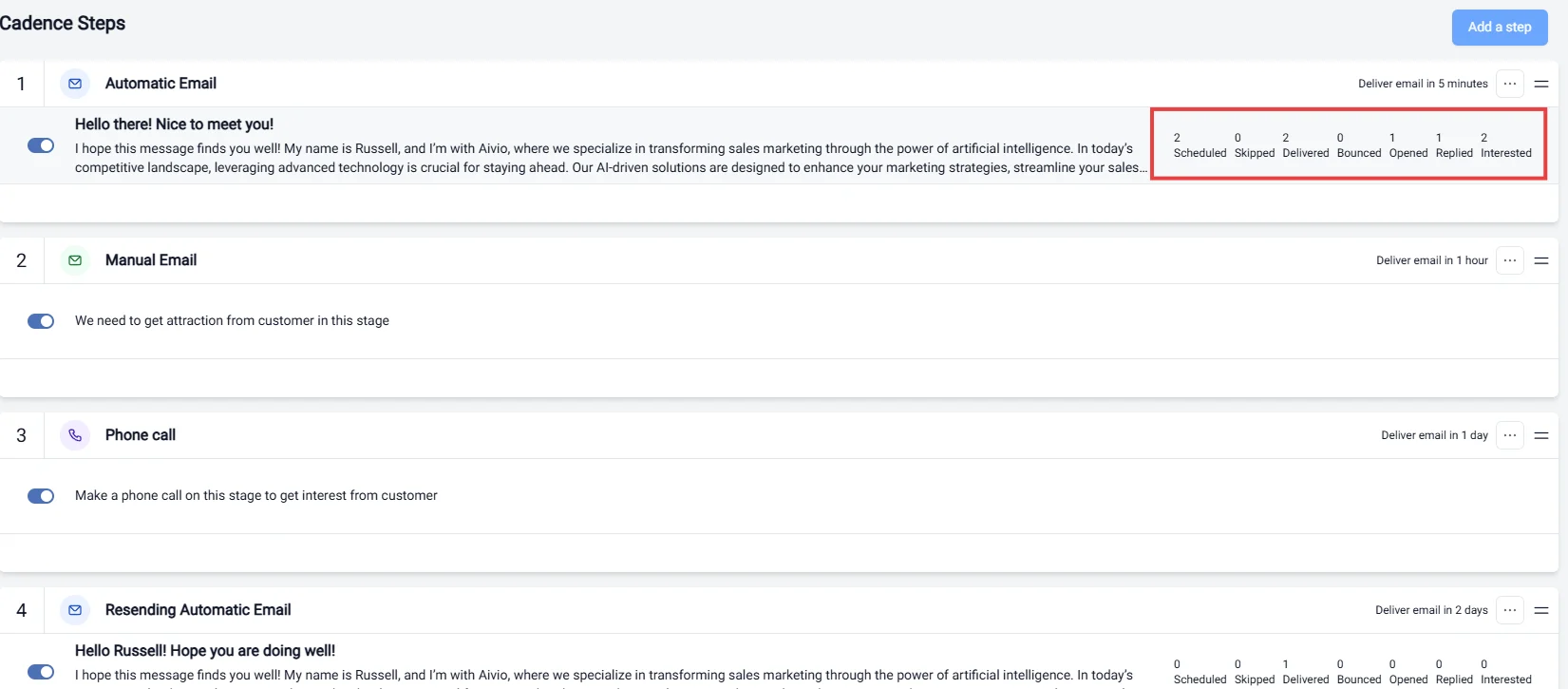
Overview
Effective cadence step tracking is essential for optimizing your outreach efforts. This feature allows you to monitor the progress of communications with leads at each stage of the engagement process. Understanding where each lead stands helps in making informed decisions and tailoring follow-ups accordingly.Key Statuses
-
Scheduled:
- Indicates that a communication has been planned and is set to be sent at a specific time. This helps in organizing your outreach efforts and ensuring timely follow-ups.
-
Skipped:
- Marks communications that were intentionally bypassed. This could occur if a lead has already been contacted or if the outreach strategy was adjusted based on previous interactions.
-
Delivered:
- Confirms that the email or message has been successfully sent to the lead. Monitoring delivery rates is crucial for evaluating the effectiveness of your email campaigns.
-
Bounced:
- Reflects that the email could not be delivered to the lead’s inbox, often due to invalid email addresses. Tracking bounced messages helps maintain a clean and effective contact list.
-
Opened:
- Indicates that the lead has opened the email or message. This metric is vital for assessing engagement and determining the effectiveness of your subject lines and content.
-
Replied:
- Shows that the lead has responded to your communication. Tracking replies allows you to gauge interest and adjust your follow-up strategy accordingly.
-
Interested:
- Marks leads that have expressed interest in your offerings. Identifying interested leads enables you to prioritize them for further engagement and personalized communication.
Importance of Step Tracking
Tracking each step in the cadence allows for:- Enhanced Engagement: By understanding where leads are in the process, you can tailor your messages and follow-ups to maximize engagement.
- Improved Analytics: Detailed tracking provides insights into the effectiveness of your outreach strategy, helping you refine your approach over time.
- Streamlined Processes: Knowing the status of each lead helps in organizing your workflow and ensuring no lead is overlooked.