

Overview
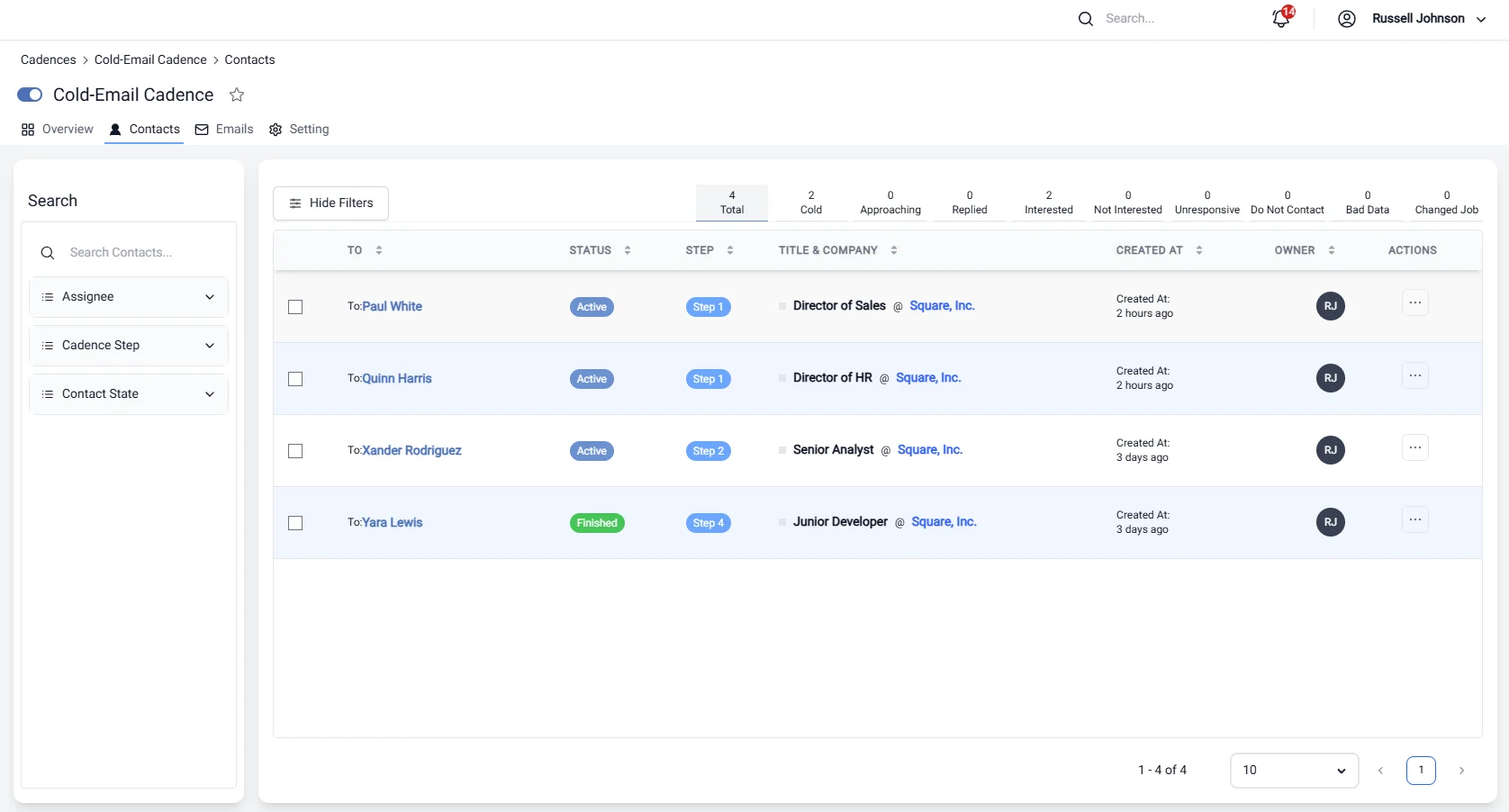
Managing leads effectively is essential for any sales or marketing strategy. In this section, you can monitor the status of each lead within the Cadence framework, providing a clear view of where each lead stands in the engagement process. You can track whether a lead is active, paused, finished, or in any other state, ensuring you have the information needed to take the next steps.Lead Status
The lead status indicators allow you to quickly assess the progress of your leads. Key statuses include:- Active: The lead is currently being engaged.
- Paused: Engagement with the lead is temporarily halted.
- Finished: The engagement process for this lead has been completed.
- Other States: Additional states such as “Removed” or “Bounced” can also be tracked.
Actions
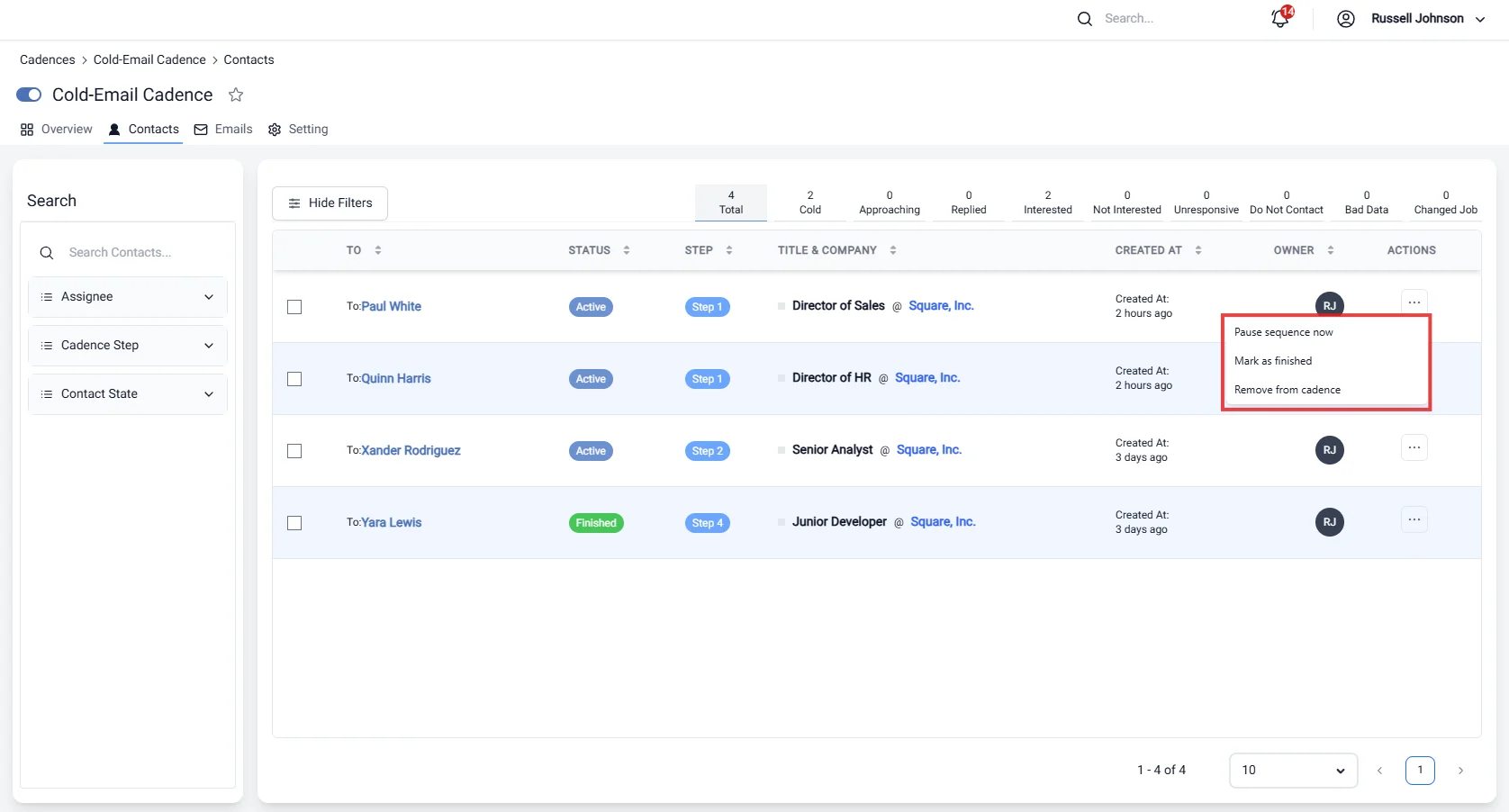
- Pause Cadence Now / Resume Cadence Now: Temporarily halt or restart engagement with a lead.
- Mark as Interested: Indicate that a lead has shown interest, allowing for tailored follow-up strategies.
- Remove from Cadence: Eliminate a lead from the engagement process when necessary.
Analytics
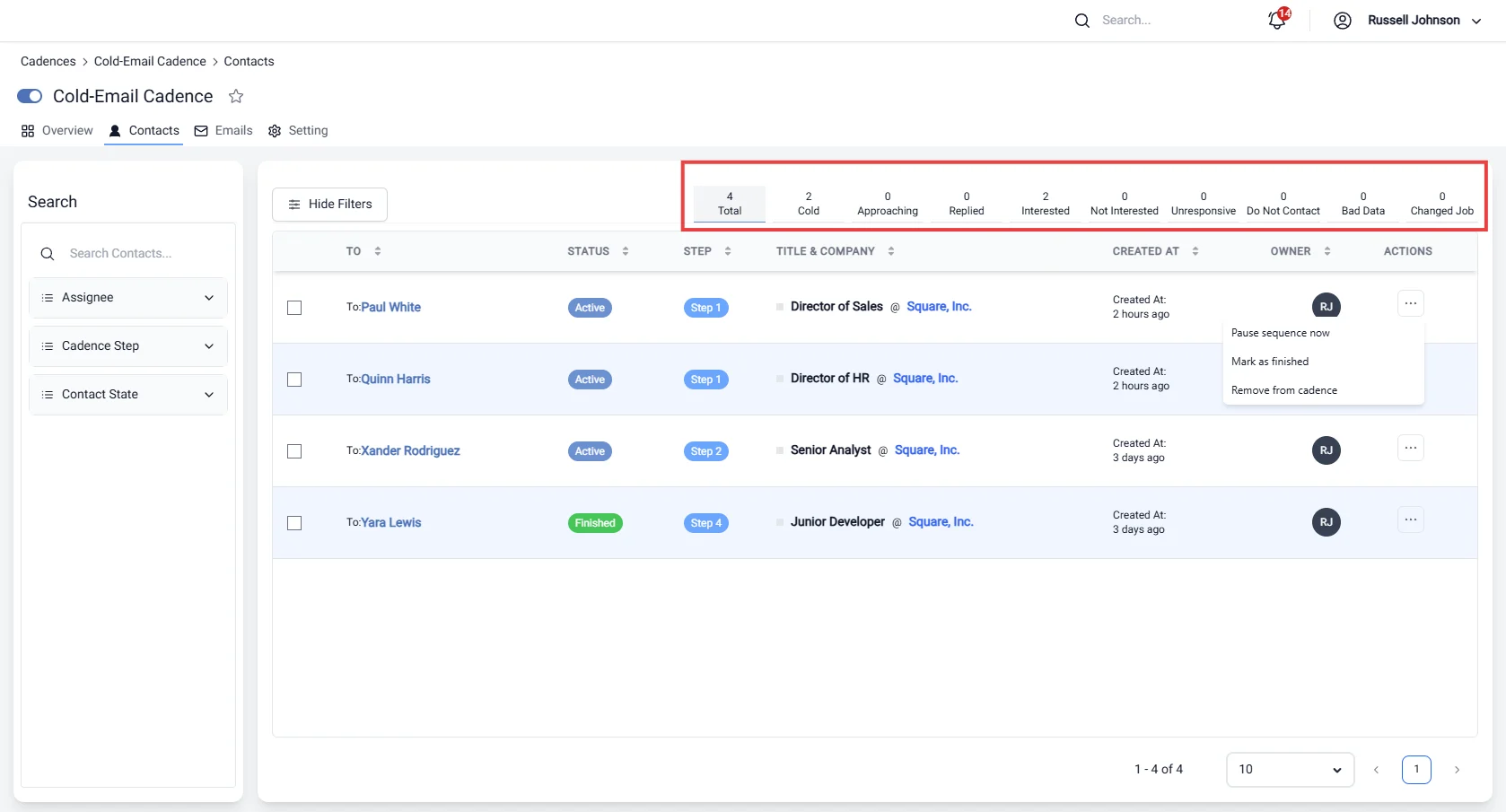
- Total Leads: The overall number of leads in the cadence.
- Cold Leads: Leads that have not engaged recently.
- Approaching Leads: Leads that are nearing a follow-up deadline.
- Replied Leads: Leads that have responded to previous communications.
- Interested Leads: Leads that have expressed interest in your offerings.
- Not Interested Leads: Leads that have opted out of further communication.
- Unresponsive Leads: Leads that have not responded after multiple attempts.
- Do Not Contact: Leads that should be excluded from future outreach.
- Bad Data: Leads with incorrect or incomplete information.
- Changed Job: Leads that have updated their employment status.
Search Functionality
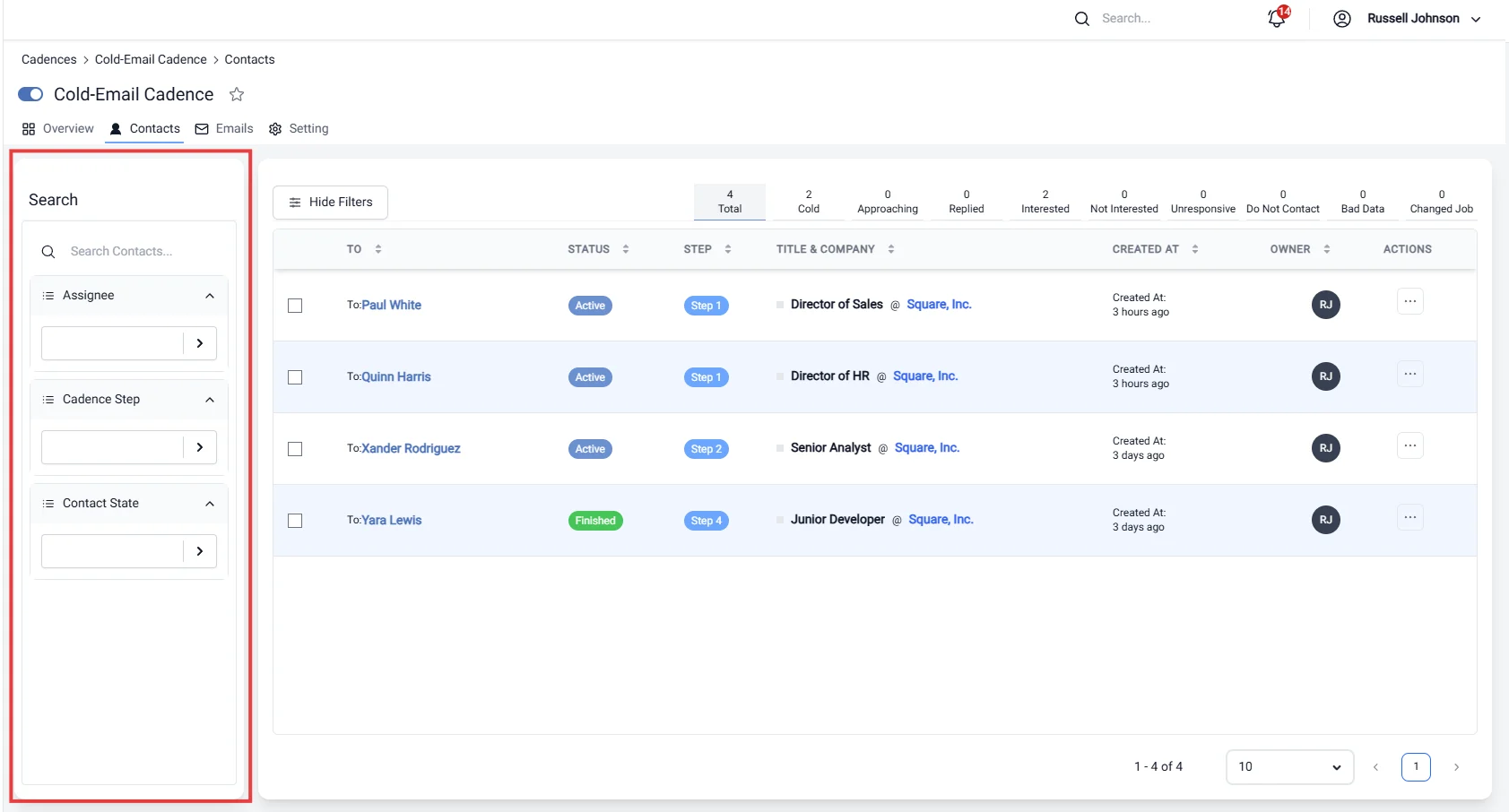
- Assignee: Search for leads assigned to specific team members.
- Cadence Step: Filter by the specific step in the cadence (e.g., 1, 2, 3, etc.).
- Cadence Status: Narrow down leads based on their current status, such as finished, active, paused, removed, or bounced.