

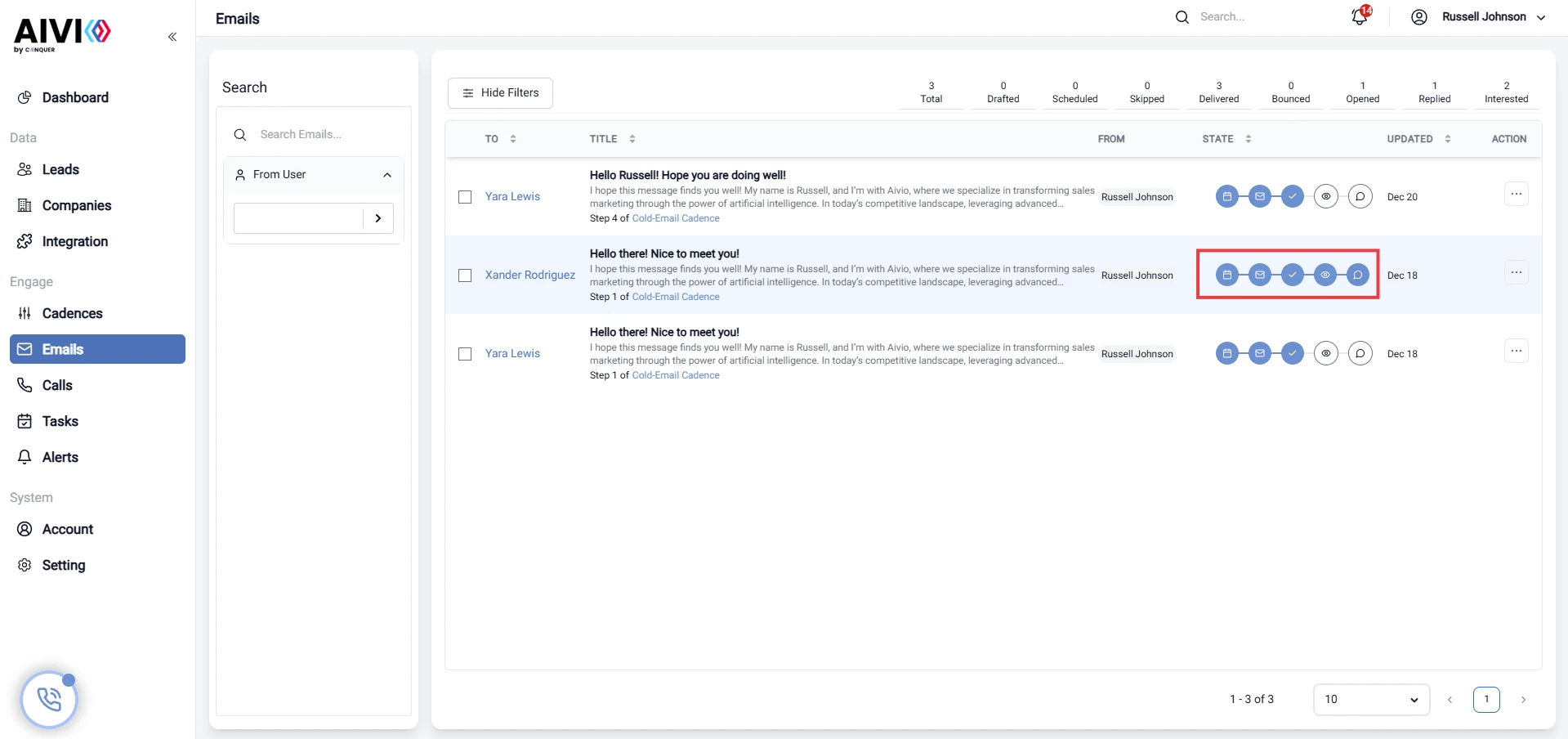
Email Tracking Overview
Welcome to the Email Tracking page! Here, you can monitor the status of your emails in real-time, ensuring you stay informed about your communications. Below are the key statuses you can track:Status Descriptions
- Scheduled: This status indicates that your email has been set to send at a future time. You can view all scheduled emails and make changes if needed before they are sent.
- Sent: Once your email has been dispatched, it will be marked as “Sent.” This shows that the email has left your outbox and is on its way to the recipient.
- Delivered: This status confirms that your email has successfully reached the recipient’s mail server. However, it does not guarantee that the recipient has seen it.
- Bounced: If an email cannot be delivered to the recipient, it will be marked as “Bounced.” This can occur for various reasons, such as an invalid email address or a full inbox. You can view details about the bounce to take necessary actions.
- Opened: This status indicates that the recipient has opened your email. Tracking opens helps you gauge engagement and interest in your message.
- Replied: If the recipient responds to your email, it will be marked as “Replied.” This is a crucial metric for understanding the effectiveness of your communication.
- Interested: This status indicates that the recipient has shown interest in your email, such as clicking on links or engaging with the content. Tracking this status helps you identify potential leads and tailor your follow-up strategies.