

Email Management
In our system, there are two types of emails you can send: Manual Emails and Automated Emails generated by Cadence.Manual Email
To send a manual email, follow these steps:-
Access the Leads Page
Navigate to the Leads page where you will see the “Email” button.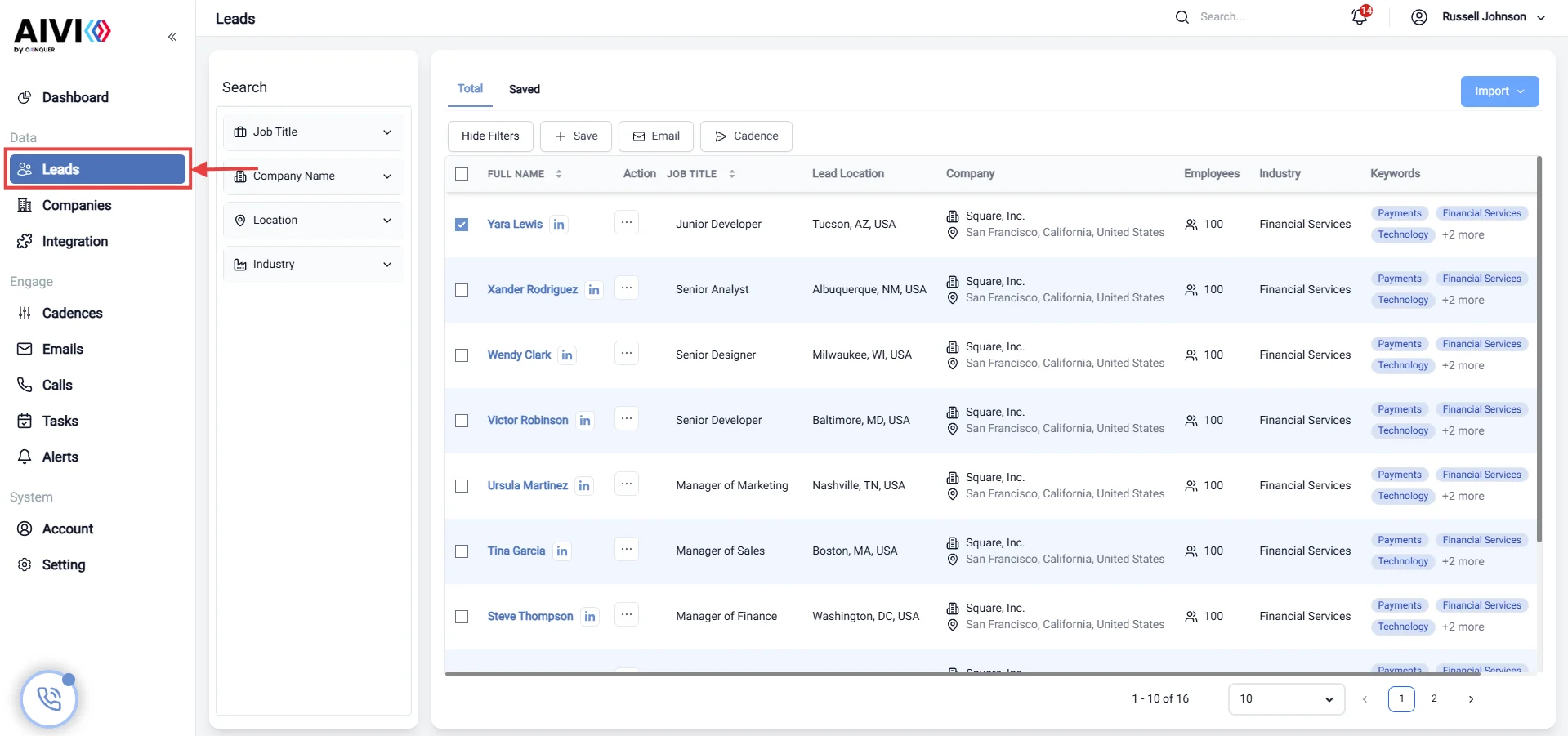
-
Select a Lead
Check one lead in the leads table, and you will see the “Email” button appear.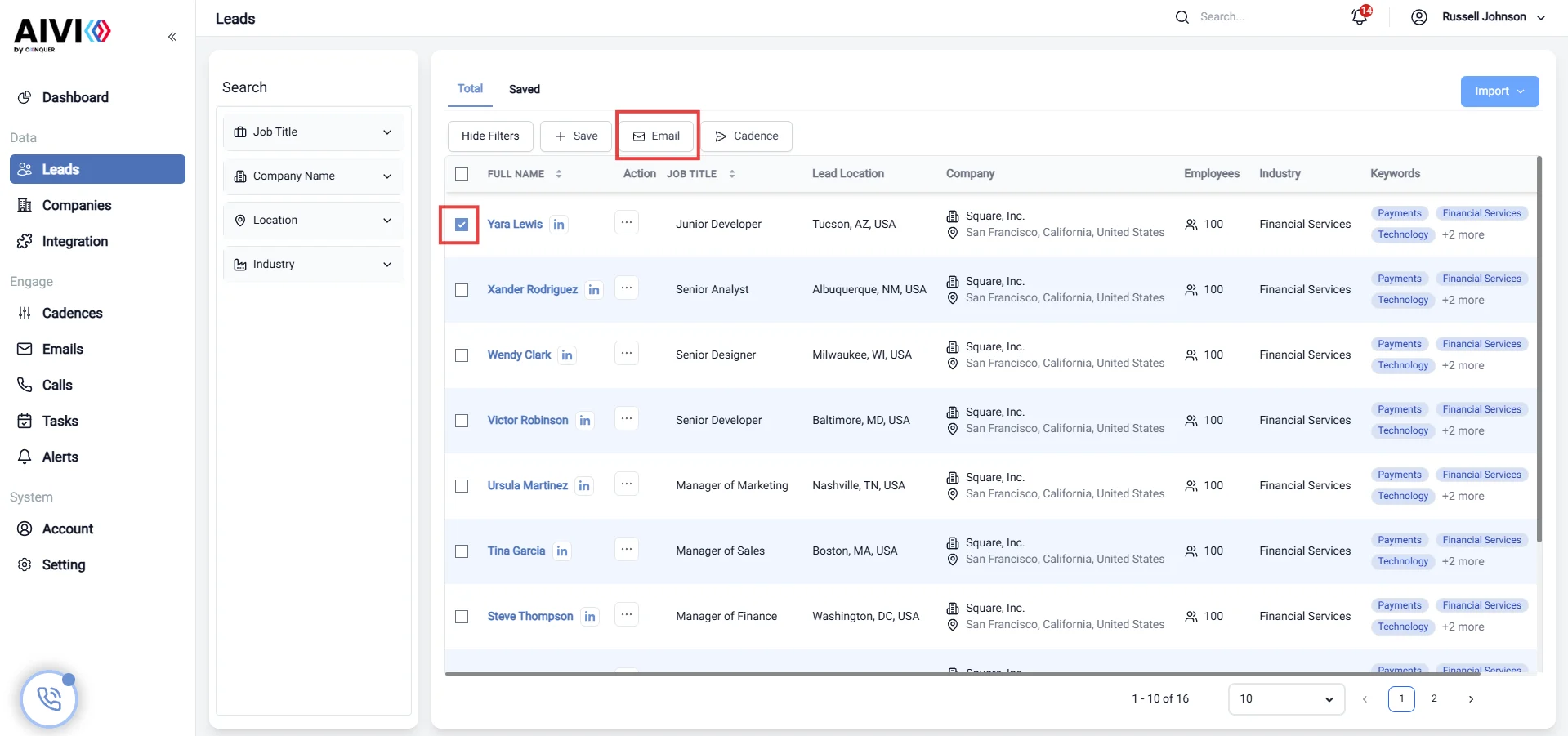
-
Open Send Email Window
Click the “Email” button, and the Send Email window will appear.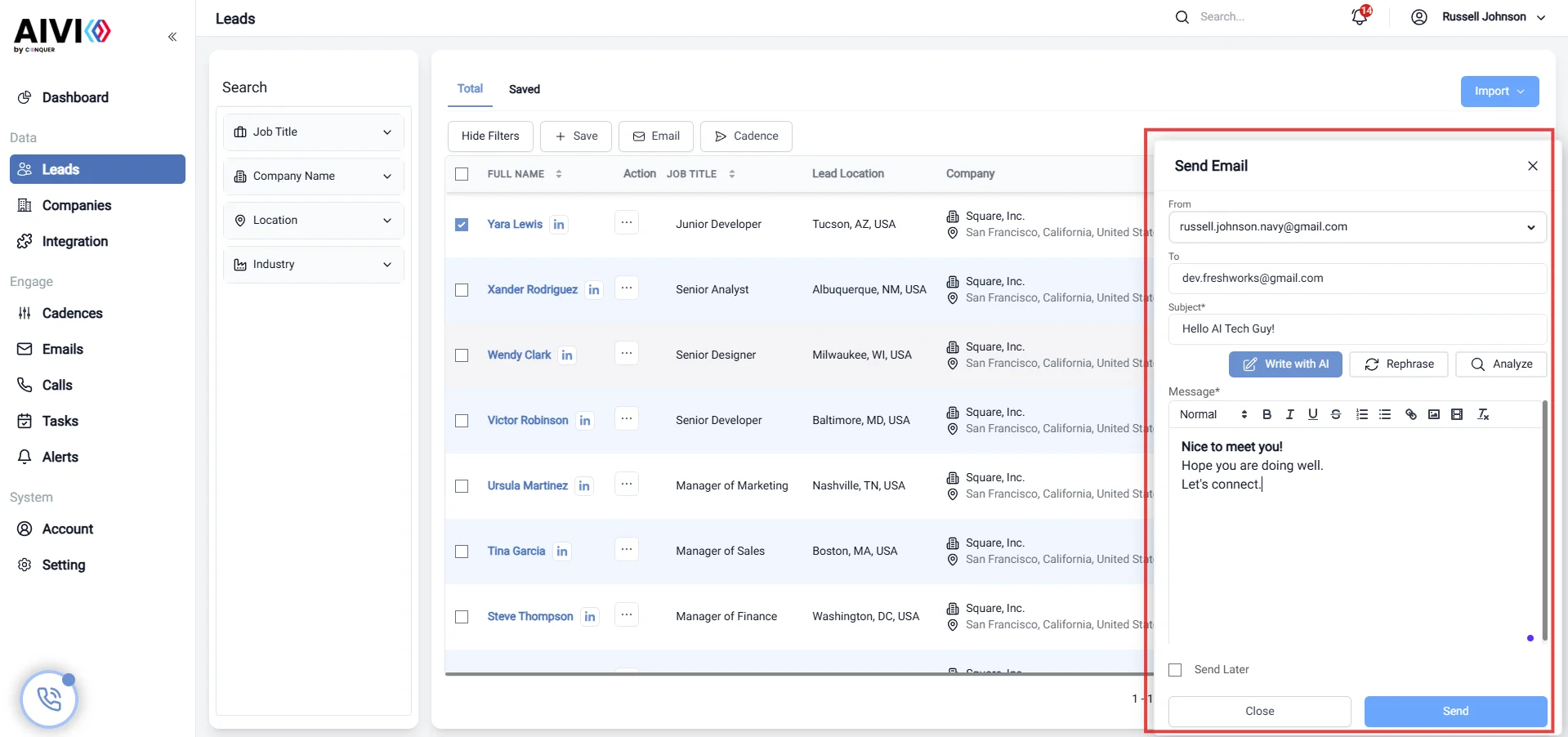
-
Compose and Send Email
Type in your email subject and content, then click the “Send” button to dispatch the email.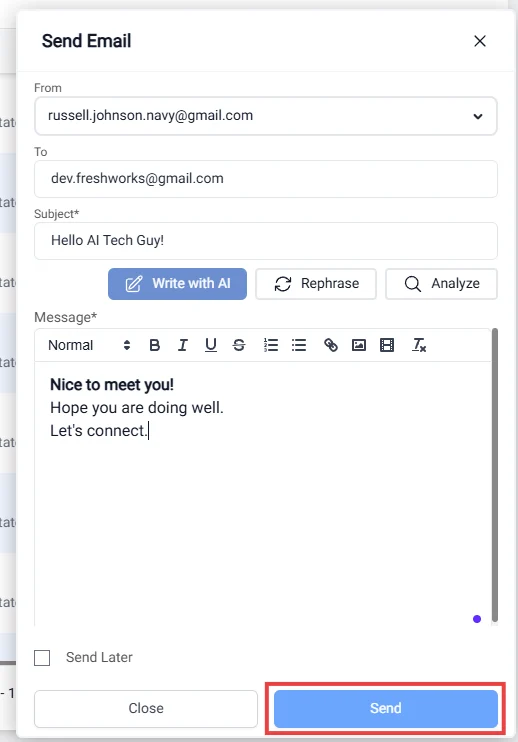
Automated Email by Cadence
Automated emails are generated by the cadence steps after adding a lead into a specific cadence. This allows for consistent follow-up without manual intervention.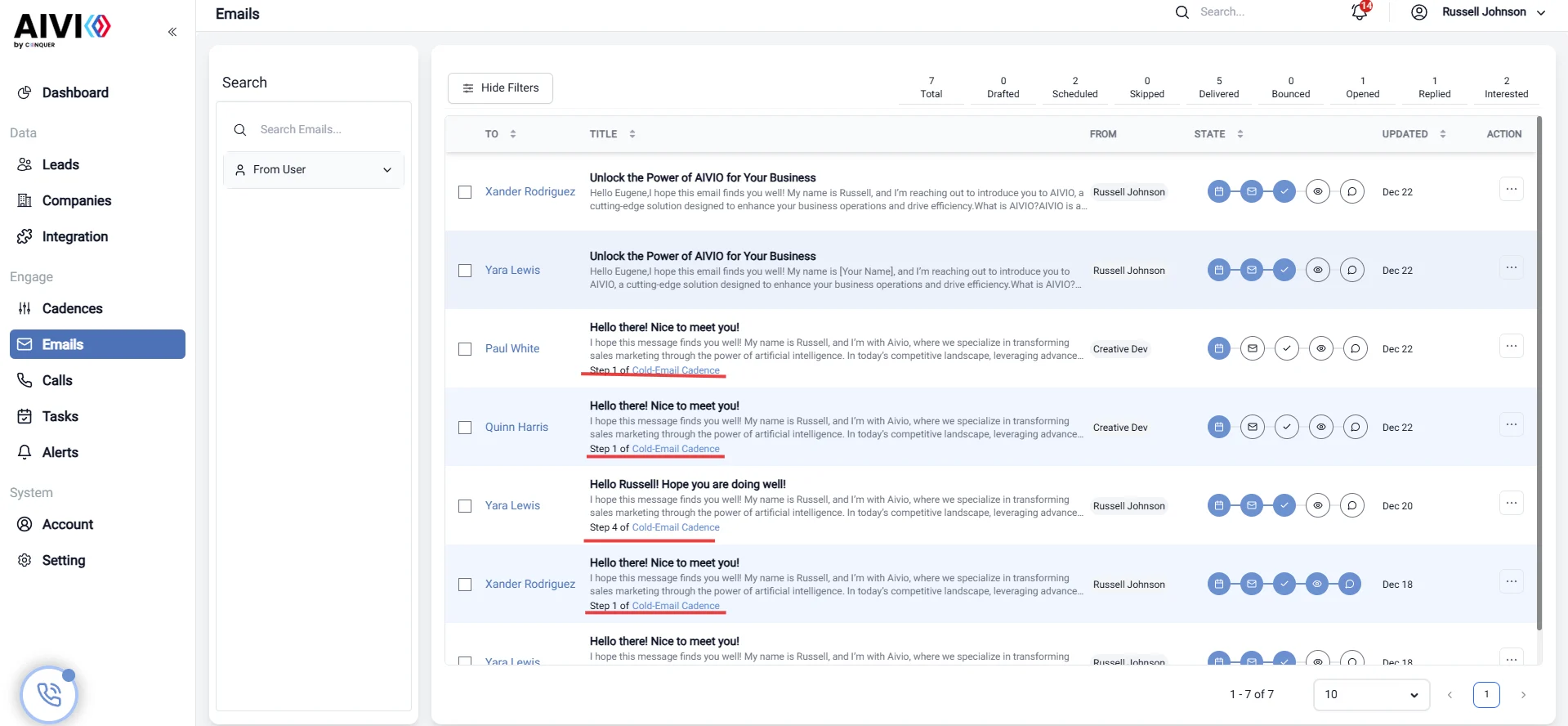
View Email
You can view the details of sent emails to track engagement and responses.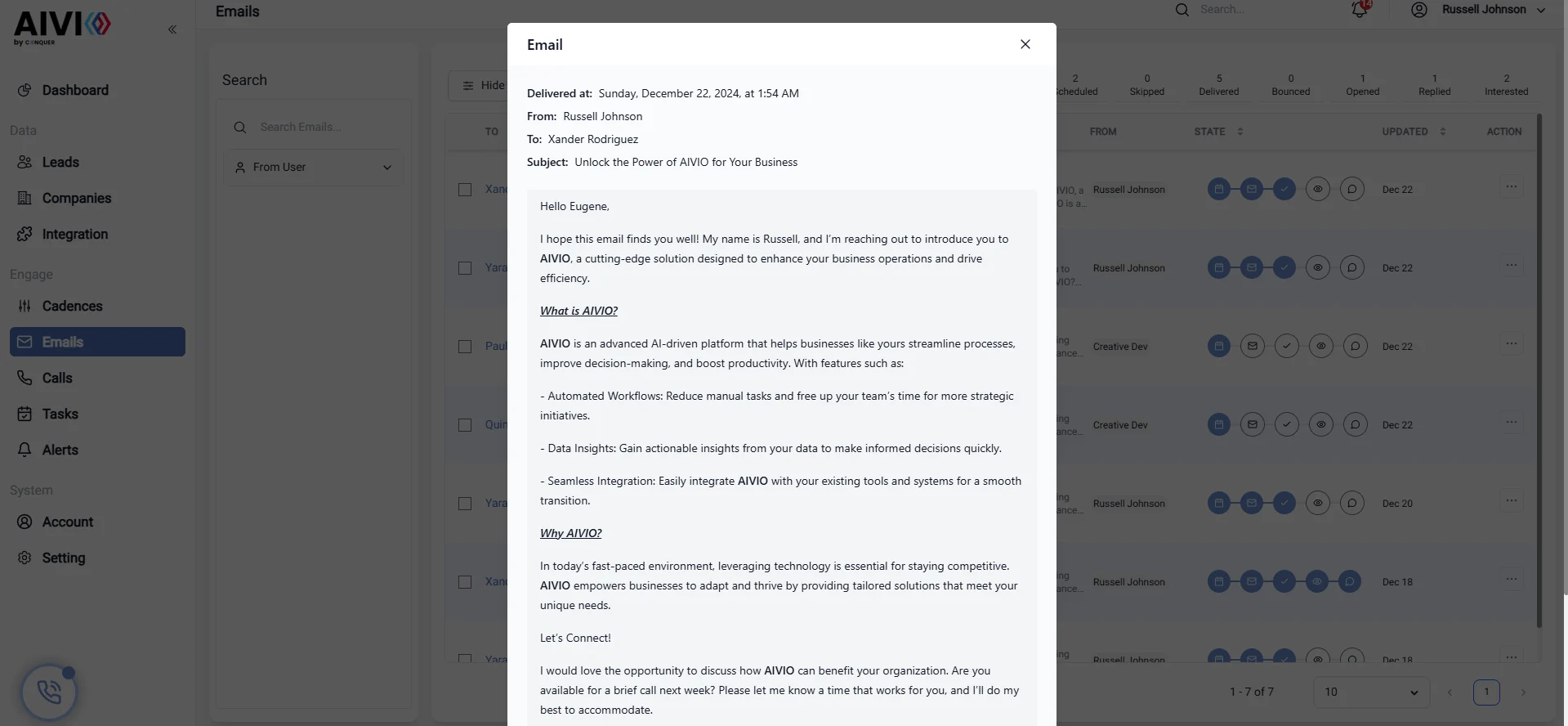
Actions
Once an email is sent, you have several actions available to manage your email interactions: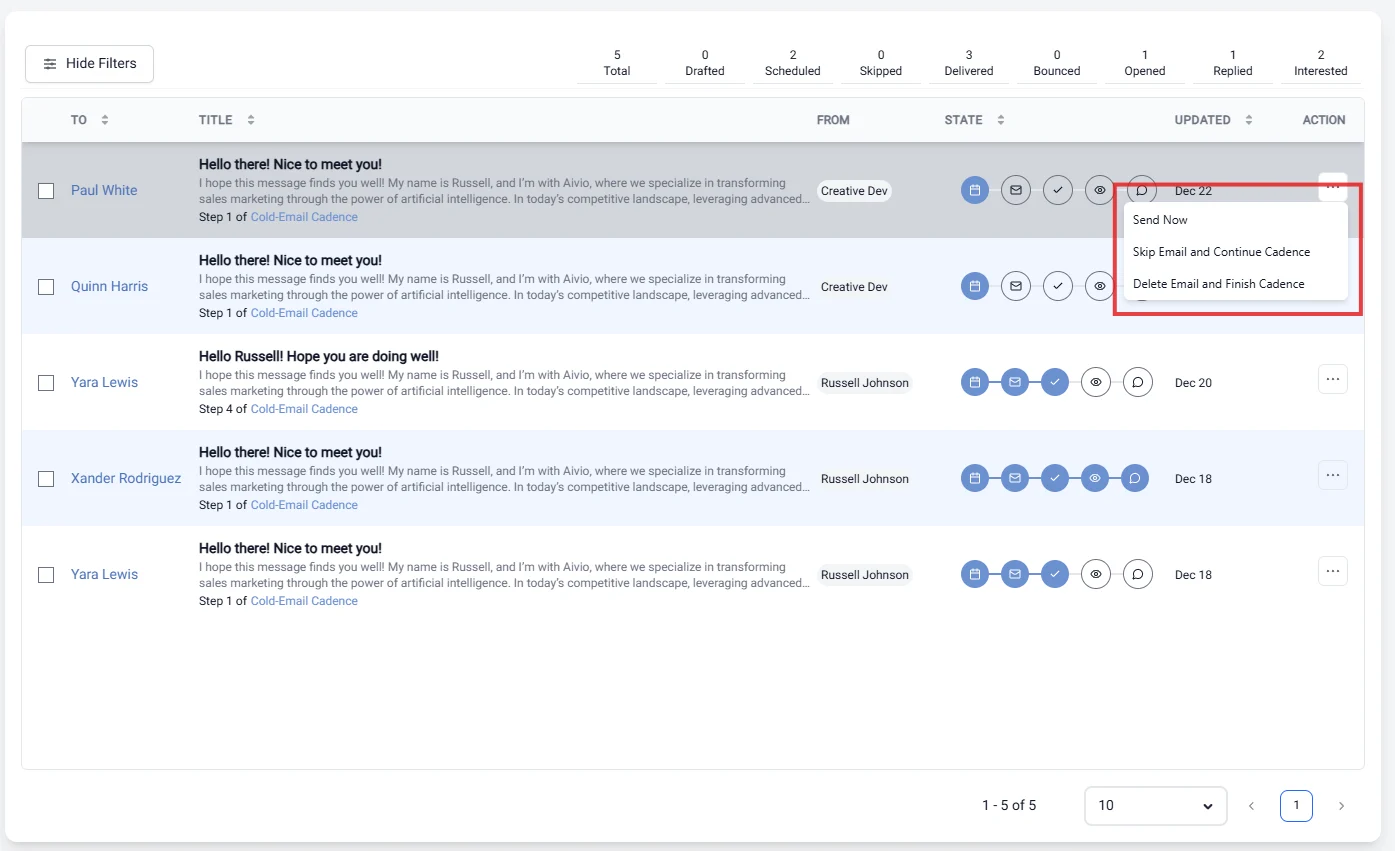
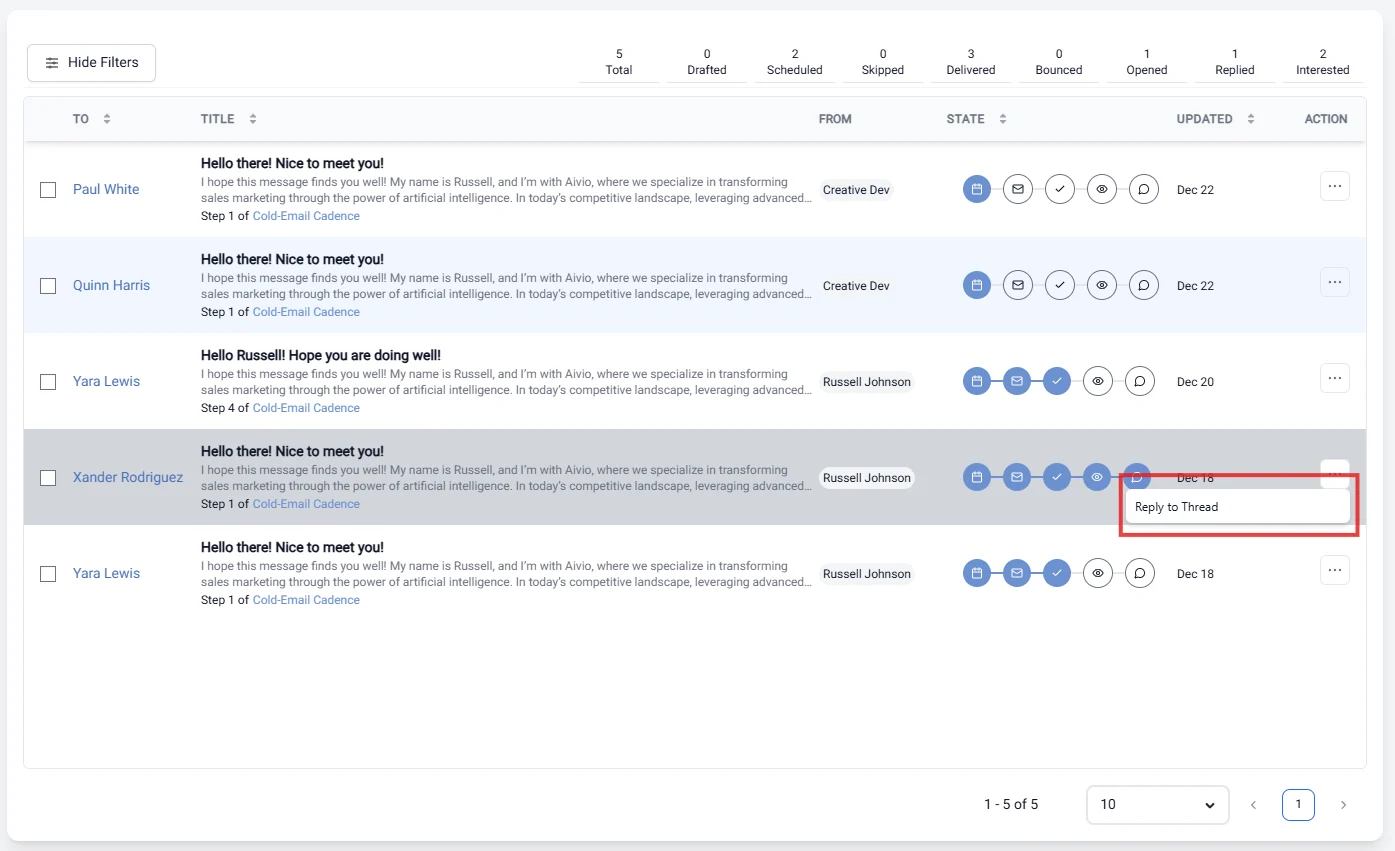
Available Actions
- Send Now: Immediately send the email to the selected lead.
- Skip Email and Continue Cadence: Bypass the current email in the cadence and proceed to the next step.
- Delete Email and Finish Cadence: Remove the email from the cadence and mark the cadence as complete.
- Reply to Thread After Delivering: Respond to the email thread after the email has been delivered to maintain the conversation.
- Mark as Interested: Indicate that the recipient has shown interest, allowing for targeted follow-up.